
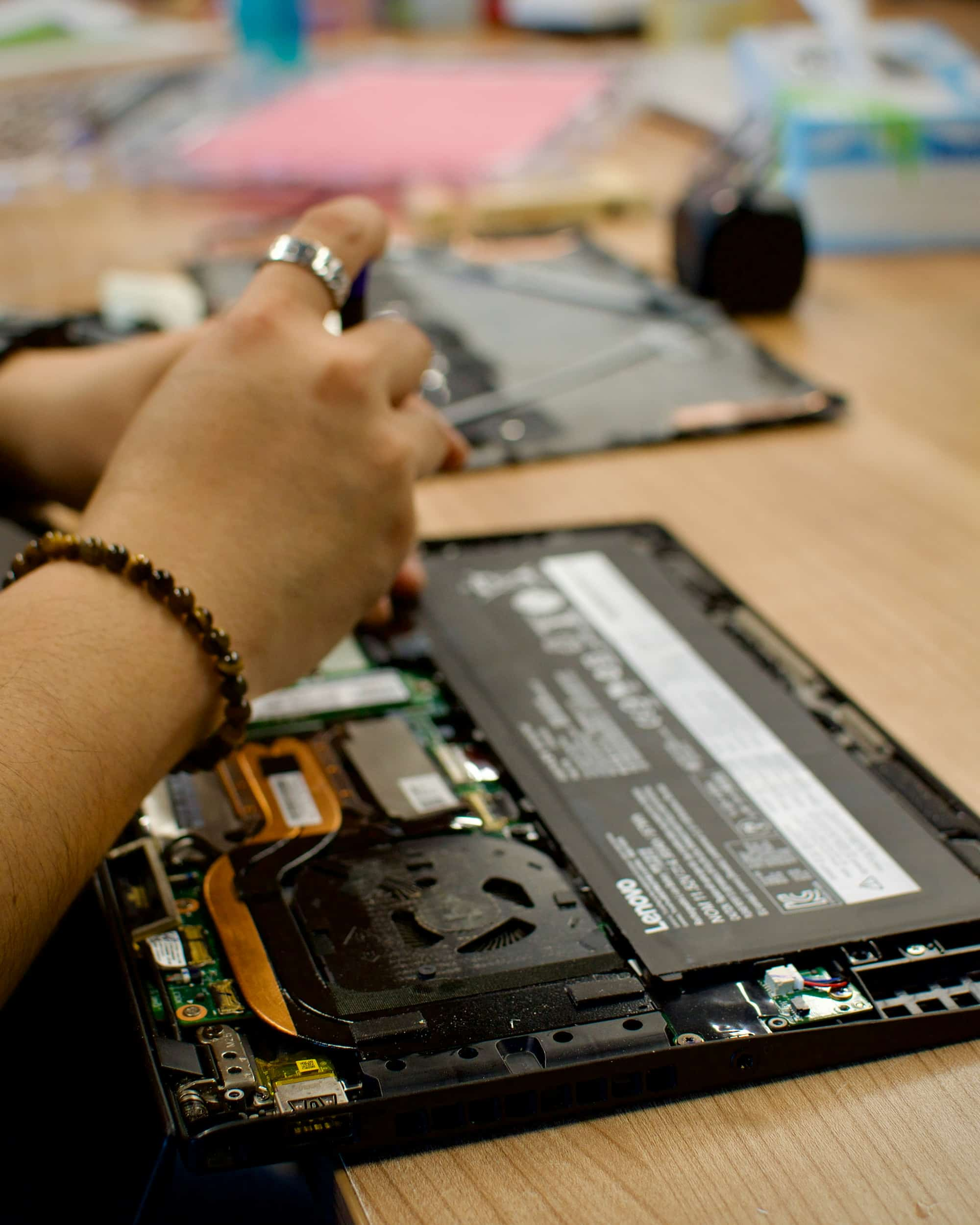
There is a kind of frustration that comes with a laptop battery that seems to disappear far faster than it used to. You charge the laptop before starting work only to find the battery percentage dropping rapidly a time later. Sometimes the laptop may also become warm slow down show a battery percentage or suddenly switch off when it still appears to have charge remaining. Fast battery drain can affect any laptop, including HP, Dell, Lenovo, Acer, ASUS and other Windows devices. It can be caused by an ageing battery, demanding applications, high screen brightness, background processes, poor power settings charging problems or a hardware fault. The good news is that a draining battery does not always mean you need to replace the entire laptop. This guide explains the common causes of laptop battery draining fast practical steps you can take to improve battery life signs that your battery may need replacement and when professional laptop repair is the better option. If you are, in London and need help with a laptop battery problem Tech Repair London can diagnose the issue. Advise whether a battery replacement or another repair is appropriate.
Battery draining quickly: The battery level drops faster than it should during everyday tasks like browsing the web or doing office work.
Laptop shutting down unexpectedly: The computer turns off when the battery meter still shows it has power.
Battery percentage dropping suddenly: The charge level can drop sharply at once instead of going down slowly and steadily.
Laptop only works reliably when plugged in: The device may freeze, crash or turn off soon as it’s unplugged from power.
Battery health warning: Messages from Windows or the laptop maker’s software might say the battery is no longer holding a charge.
Swollen or raised laptop case: If the trackpad, keyboard or bottom cover is lifting the battery could be. Needs to be checked right away.
Heat during normal use: If the laptop gets unusually hot while doing simple tasks it could point to a problem, with the battery, charging, cooling or power settings.
The cause is not always the battery itself. Before buying a replacement battery, it is worth checking what is consuming power and whether the charger and charging system are working correctly.
1. Ageing or Worn-Out Battery
Rechargeable laptop battery slowly loses the ability to hold much charge as when it was new.
As laptop battery capacity decreases you may notice that the laptop lasts a shorter time between charges.
If your laptop is years old and the laptop battery life has deteriorated significantly replacing the laptop battery may be the most practical solution.
Tech Repair London can assess the laptop battery. Confirm whether replacement is appropriate, for your exact laptop model.
High CPU and GPU Usage
Demanding software can drain a laptop battery fast because the processor and graphics hardware use power when they are, under heavy load. Gaming, video editing, 3D applications and large file processing are all examples of tasks that use a lot of power. These activities can cut battery life by a lot. On Windows you can open Task Manager to see which apps are using much CPU or GPU. If you close programs that are not needed you can lower power use. This might help the battery longer.
High Screen Brightness
The laptop display is one of the parts that can use a lot of power. Keeping your laptop at brightness for long times can make the battery drain faster. Lowering the brightness to a level that feels right and choosing the Windows power settings can help cut down on wasted energy.
Too Many Background Applications
Applications that run in the background can keep using the processor the memory, the network and other system resources even when you are not using them. Cloud syncing, browsers, with lots of tabs, messaging apps and other services can all cause the battery to drain faster. Check the applications that start automatically and the background processes and turn off the ones you don’t need. Do not close Windows system processes just because they show up in Task Manager.
Poor Power Settings
Windows has power‑management settings that help balance performance and battery life. When your laptop is always set to performance it may use more power than needed during everyday tasks. Choose a power mode when you are running on battery and make sure the sleep and screen‑off settings are sensible. These changes can help improve your laptop battery life during use.
6. Wi-Fi, Bluetooth and Connected Devices
Wireless connections and connected devices can also cause the battery to drain faster. Having Bluetooth, Wi-Fi, USB devices and other hardware turned on when they are not needed can hurt battery life. Check for any connections that’re not necessary when you are trying to make the battery last longer while you are on the move or not, near a power source.
7. Faulty Charger or Charging Port
I have seen laptops that seem to have a battery yet the real issue is actually about charging. A damaged charger, a charging port a USB‑C charging problem or a fault, in the motherboard’s charging system can stop the battery from charging properly. If the battery percentage stays low even though the laptop is plugged in if charging starts and stops or if the laptop only charges when the connector is held at an angle then the charging system should be inspected instead of rushing to replace the battery.
8. Battery Health Has Deteriorated
I have seen laptops that look like they have a battery. The real problem is actually about charging. A damaged charger, a charging port a USB‑C charging issue or a fault, in the motherboard’s charging system can stop the battery from charging properly. If the battery percentage stays low even though the laptop is plugged in if charging starts and stops or if the laptop only charges when the connector is held at an angle then the charging system should be inspected before rushing to replace the battery.
1. Check Battery Usage
First find out which applications are using the power.
Use Windows battery information and Task Manager to spot programs that are consuming a lot of system resources.
If a particular application keeps the CPU busy or drains power shut that application down when you are not using it.
After you have closed that application check whether the battery lasts longer.
2. Reduce Screen Brightness
Lower the display brightness to a level when you are using battery power. Do not keep the brightness at the setting unless it is really needed.
3. Close Unnecessary Applications
Close programs, browser tabs, close background applications that you are not using.
When you reduce activity the processor works less and battery runtime improves.
4. Use Windows Power-Saving Features
Choose a Windows power mode when you are working away, from a charger. Set the screen to turn off sooner and let the laptop go into sleep mode after a period of inactivity. The Windows power mode should be set to the level.
5. Keep Windows and Drivers Updated
Updating the operating system and manufacturer can improve power management, stability and hardware compatibility. I always use sources and install drivers that are made for my specific laptop model.
6. Check the Charger and Charging Port
Make sure you are using a charger and check the charging connection for any obvious signs of damage. If the device charges sometimes or the battery does not charge properly a professional diagnosis can help find out if the problem is, with the battery the adapter, the charging port or the internal charging circuit.
7. Replace the Battery When Necessary
If testing confirms that the battery has significantly lost capacity or is faulty, replacement may be the appropriate solution. The correct replacement battery must match the laptop model and specifications. Battery replacement should be handled carefully, particularly on modern laptops where batteries can be securely mounted inside the chassis. If you are not confident opening the laptop, professional battery replacement is the safer choice.
Battery drain can happen with all laptop brands but the specific battery, charging system and internal design are different for each model. An HP laptop might use a battery, than a Dell Inspiron and a Lenovo ThinkPad might have its own charging and battery management setup. This means that looking for a battery replacement is not always enough. The exact laptop model and battery details must be checked before buying a replacement or opening the machine.
Tech Repair London can help find out if the problem is really a battery that is worn out or if another part is causing the laptop to lose power quickly.
A swollen lithium-ion battery is not a normal battery‑life issue.
If the laptop case bulges, if the trackpad or keyboard lifts or if you see heat or a strange smell near the battery stop using the laptop and do not keep charging it.
Do not press a raised case back into place or try to puncture, bend or remove a swollen battery if you do not have the right experience and equipment.
Arrange, for an inspection and safe battery handling instead.
A London professional uses an HP laptop every day at work. After years of regular use the battery that used to last most of the day now drains quickly during meetings and while working on documents. The laptop starts shutting down soon after the battery level drops to a percentage. Of buying a new laptop the battery and charging system are checked. The check shows that the battery has lost most of its capacity. The laptop itself is still good, for daily tasks. Replacing the battery with an one brings back normal battery life. The customer can keep using the laptop without any issues. This shows why diagnosing the real problem matters. A draining laptop battery might need a replacement but it could also point to charging faults, too much software running or other hardware issues.
Tech Repair London offers laptop and computer repair services for people in London. They help with hardware and software issues. If your laptop battery drains quickly they can check if the problem is with the battery, charger, charging port, power settings or something else. A professional diagnosis is especially helpful when a new battery does not fix the issue. Testing the charging and power system makes sure you do not spend money on parts that are not actually, at fault. Tech Repair London is located at Vicarage House 58-60 Kensington Church St, London W8 4DB. They serve customers across all of London. Their service areas include Kensington, Chelsea, Paddington, Camden, Marylebone, Hammersmith, Chiswick, Westminster, Battersea, Lambeth, Fulham, Ealing, Wimbledon, Islington and Shepherds Bush. If you need a laptop battery replacement help with charging problems or general laptop repair in London Tech Repair London can examine your device. Suggest the best repair plan.
Get in touch: Tell me the laptop brand, the model if you know it and describe how fast the battery is draining.
Describe the symptoms: Note any shutdowns, problems, with charging, overheating, battery warnings or any other odd behaviour.
Arrange a diagnosis: We will examine the laptop and the charging system to find out if the battery or another part is the cause.
Receive the recommended repair: Depending on the diagnosis we may suggest a battery replacement, a repair of the charging port, software optimisation or another hardware repair.
Test the laptop: After the repair we will test the laptop again to confirm that the battery performance and charging are working as expected.
Fast battery drain can happen when an ageing battery is used, when the CPU or GPU work hard when demanding apps run when the screen brightness is high when background processes keep running when power settings are not suitable when charging has issues or when hardware faults exist. A battery health check can help find out the battery cause.
Reduce screen brightness. Close unnecessary applications. Use a Windows power mode. Minimise demanding background processes. Keep Windows and drivers updated. If battery capacity has significantly deteriorated replacement may be necessary.
If the laptop still works well. The only real problem is that the battery does not hold a charge as long as it used to then swapping out the battery might be much easier and cheaper, than buying a whole new computer. Getting a professional to check the situation can help decide if fixing it makes sense.
I see signs such as a very short battery runtime, sudden shutdowns, a big drop, in reported battery health charging problems and the laptop only working reliably when it is connected to power.
Yes. A damaged or unsuitable charger, faulty charging port or charging-circuit problem can prevent the battery from charging correctly and may look like a battery fault. Testing the complete charging system is therefore important.
A swollen battery should be treated as a serious hardware and safety issue. Stop using and charging the laptop and arrange professional inspection rather than pressing the case down or attempting an unsafe removal.
A laptop battery draining fast does not automatically mean that the whole computer must be replaced. The cause could be a battery, demanding software, high brightness, background activity, power settings or a fault in the charging system. Start with checks: review the laptop battery and CPU usage reduce unnecessary background activity, lower screen brightness use proper power settings and ensure the laptop is charging correctly. If the laptop battery still drains quickly a professional diagnosis can find out whether a replacement battery or another repair is needed.
For customers, in London and surrounding areas Tech Repair London can help diagnose laptop battery problems. Recommend a practical repair based on the condition and model of the device.
Related Blogs
Windows vs macOS: Best Operating System for Work & Daily Use in 2026
Custom Gaming PC Build Guides: From Budget to High-End
Laptop Battery Draining Fast: Causes and Fixes